For most of my life I was a traditional scrapbooker! I started in junior high with magnetic albums. You remember, the ones with “glue” to hold the photos in place and covered with a protective plastic cover. They were ugly and, in the end, not safe for our photos. Eventually I found a company called Creative Memories and for over 25 years I used CM albums for my wedding, family and photos of my three children.
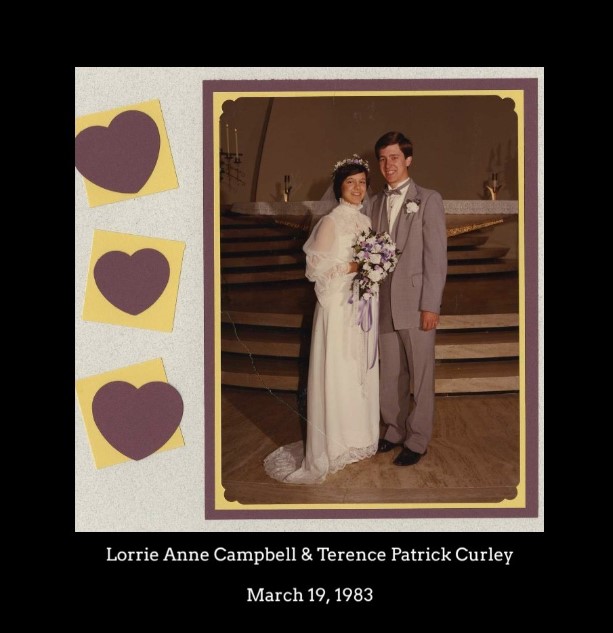
I have well over 150 Creative Memories albums in my house. I love them but, darn, they are heavy and take up a ton of space. I have slowly been having my most favorite albums or pages scanned. I started with our wedding album then moved to my kids albums. It is a relief to have them scanned and know they are safely organized in my FOREVER Permanent Storage Account!
Did you know you can also put these photos (your scanned pages) into a digital book? A digital photo book takes up significantly less space and is less wieldy to carry. There are two ways you can add your digitized pages to a book.
- The first is using FOREVER Artisan Software. Artisan is a full design software that allows the user complete control. FYI, Artisan is the former Creative Memories StoryBook Creator software!
- You can also use FOREVER AutoBook to put your digital pages in a photo book. Currently, there is a small border around each page but, in my opinion, that adds to the attractiveness of the book making each page consistent and professional looking. If you want to see how this works, check out this recording of my friend Cheryl sharing how to use AutoBook to create digital photo books.
Here is my wedding photo book, using purple as the border to go along with our wedding color. I’m so happy with this and look forward to putting together more photo books showcasing special scrapbook pages!